1. The Quick Answer
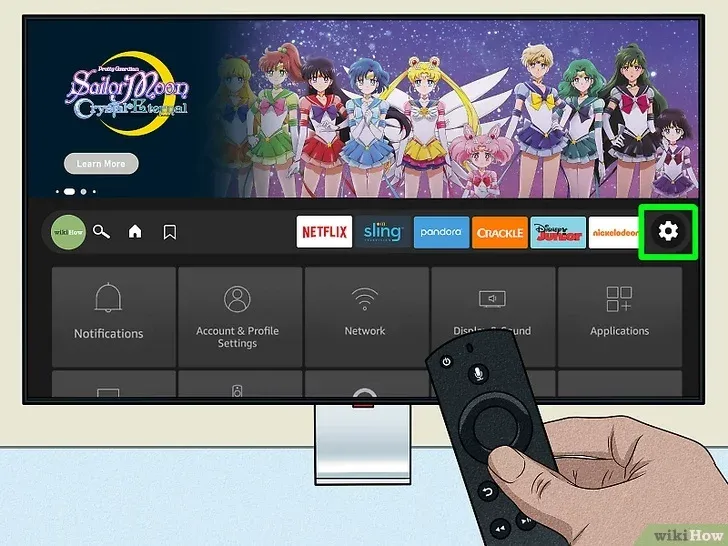
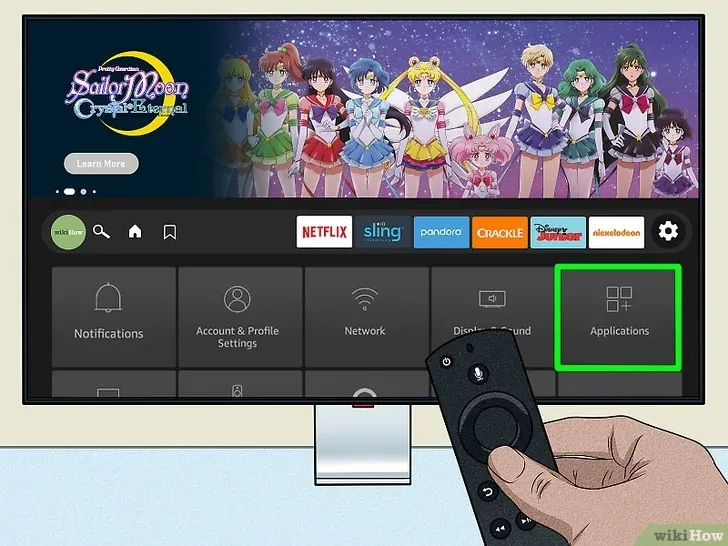
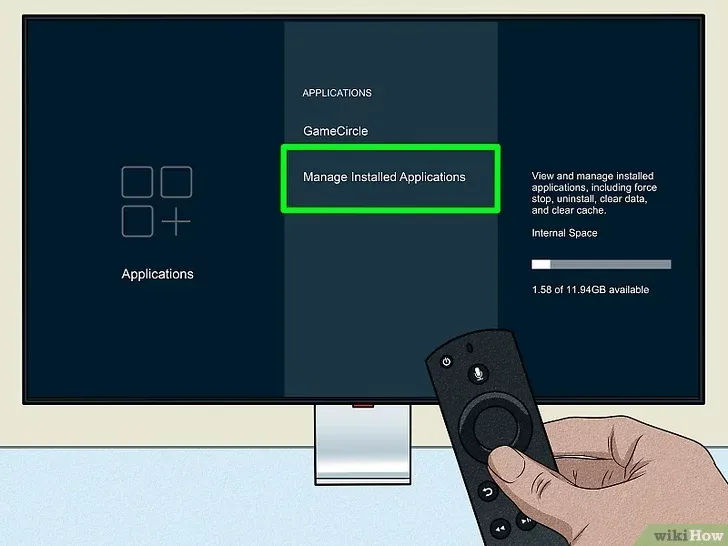
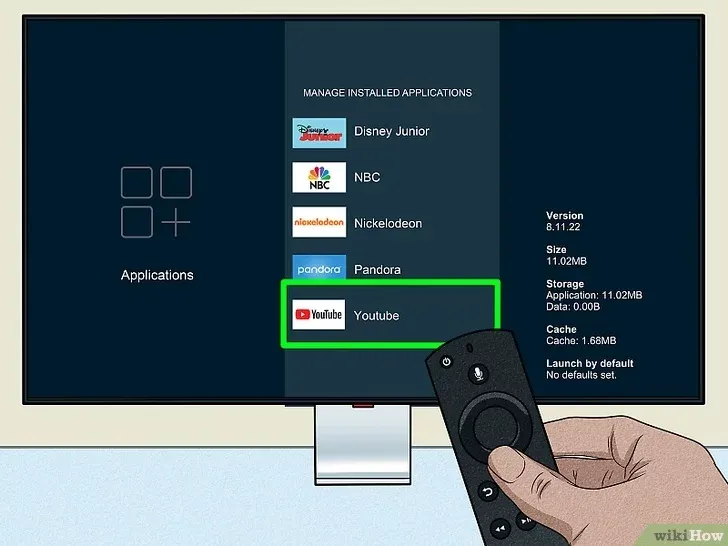
Quick Fix: To stop IPTV buffering on your Firestick, first clear the app cache (Settings > Applications > Manage Installed Applications). Next, ensure your device is connected to your router’s 5GHz Wi-Fi band (avoid 2.4GHz for streaming). Finally, change your stream format from “MPEGTS” to “HLS” in your player settings.
2. Introduction: The Struggle is Real
There is nothing worse than your stream freezing right before a goal on Hockey Night in Canada or during a UFC main event.
As the lead technician at CanadienIPTV, I help hundreds of customers across Toronto, Vancouver, and Calgary every week. 90% of the time, the issue isn’t the server—it’s a simple setting on your Firestick.
Here are the 3 technical fixes I share with my clients on WhatsApp to get their streams smooth again.
3. Step 1: The Spring Cleaning (Clear Cache)
-
Over time, apps like IPTV Smarters or TiviMate store temporary data that slows them down.
-
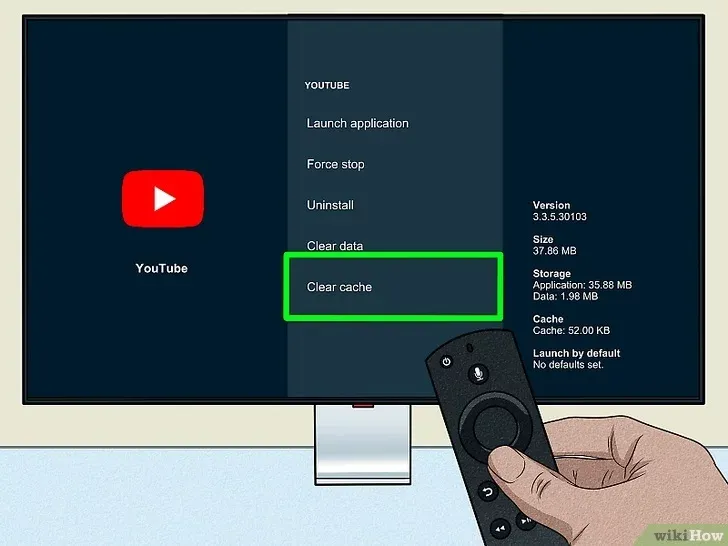
Action: Go to Settings -> Applications -> Manage Installed Applications -> [Your App] -> Clear Cache.
-
Warning: “Make sure you click ‘Clear Cache’ and NOT ‘Clear Data’, or you will lose your login details.”
6. Conclusion: Still Buffering? It Might Not Be You.
I did everything, but it still lags. Why?
If you followed this guide and you still experience buffering every night at 8 PM EST, let’s be honest: Your current provider is overcrowding their servers.
Many ‘cheap’ sellers put too many users on a single server to maximize profits. The result? When everyone logs in for the game, the server crashes.
At CanadienIPTV, we strictly limit the number of users per server to guarantee stability, even during the playoffs.